Updated 2026 — originally published 2015
Building an ad swipe library is still one of the smartest things a marketer can do. Maybe more so now than ever.
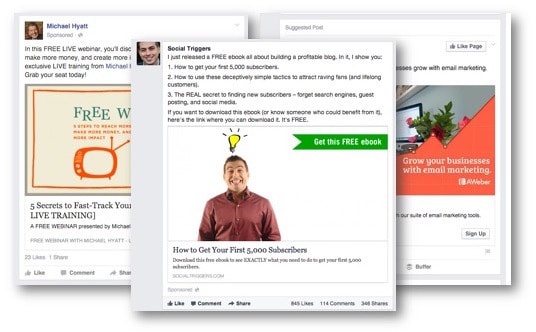
Here’s the irony of the AI era: when everyone is using the same tools to generate ad copy, the ones who stand out are the ones who’ve studied what actually works. A swipe library is your competitive edge — a personal collection of ads that caught your attention, made you stop scrolling, or just worked really well.
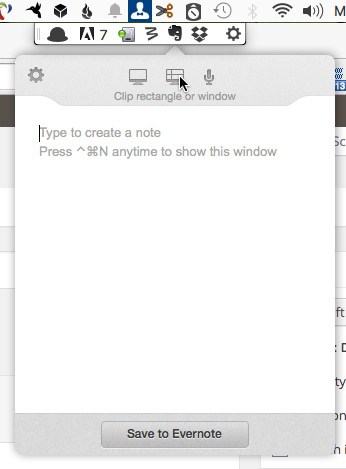
The difference today is how you build it, organize it, and put it to use. The old way I used was Evernote. The new way is faster, smarter, and far more useful.
Why You Still Need a Swipe Library
Before we get into tools, let’s be clear on the purpose.
A swipe library is not about copying. It’s about pattern recognition. When you save ads over time, you start to notice things: what image styles perform in your niche, how winning headlines are structured, what emotional triggers keep showing up, where CTAs land on the page.
That knowledge is hard to fake — and AI can’t give it to you from thin air. It needs raw material. Your swipe library is that raw material.
Step 1: Choose Your Capture Tool
You need something frictionless. If saving is a hassle, you won’t do it consistently.
Here are the best options right now:
Foreplay.co — Built specifically for ad swipes. Saves Facebook, Instagram, TikTok and LinkedIn ads in one click via browser extension. Organizes everything into boards, searchable by brand, format or tag. If you run paid ads seriously, this is the purpose-built solution.
Notion — The best all-around option if you want to combine your swipe library with your broader marketing workspace. Create a database, add properties (platform, format, industry, why you saved it), and filter by any combination. The Notion Web Clipper grabs pages cleanly.
Arc Browser’s Easel — If you use Arc, you can clip and pin ads directly to a board without leaving the browser. Lightweight and fast for quick captures.
Pinterest — Underrated for visual ad inspiration. Create a secret board, pin freely, and use the search to find more. Good for creative direction and image style research.
My personal setup: I try to make the most out of the tools I already have. Foreplay is nice, but spending more does not make me more profitable. Notion it is.
Step 2: Set Up a Tagging System You’ll Actually Use
The graveyard of swipe libraries is chaos with no retrieval system. You save things but can never find them when you need them.
Keep your tags simple and consistent. A three-layer system works well:
- Platform — fb-ad, ig-ad, email, landing-page, youtube-ad
- Format — video, static, carousel, long-form, ugc-style
- Angle — price, urgency, social-proof, curiosity, problem-aware, solution-aware
So a Facebook video ad using a testimonial angle gets tagged: fb-ad / video / social-proof
That’s it. Resist tagging by brand name or product unless you’re doing competitive research on a specific company. Keep it functional.
Step 3: Add an AI Layer to Get More From Your Library
This is where 2026 is genuinely different from 2015.
Once you have a library with even 20–30 saved ads, you can start using AI to extract insights and generate new ideas from them. Here’s how:
Pattern analysis — Take 10 ads from the same category and drop screenshots or descriptions into Claude or ChatGPT. Ask: “What patterns do you notice in how these ads are structured? What do they have in common?” You’ll surface frameworks you hadn’t consciously noticed.
Brief generation — Share a swipe you love and ask AI to write a creative brief based on it — audience assumptions, emotional hook, format rationale. Then use that brief as your starting point, not the ad itself.
Headline remixing — Paste in 5 strong headlines from your swipe file and ask AI to generate 20 variations in the same style for your product. You’re giving the AI a quality baseline instead of starting from scratch.
Copy angle mapping — Ask AI to categorize your swipes by persuasion angle. This tells you which angles are overused in your niche (where you should zig) and which are underused (where there’s an opening).
The key insight: AI-generated copy trained on your curated swipes is dramatically better than AI copy generated from a blank prompt. Your swipe library becomes your private training data.
Step 4: Review and Cull Regularly
A swipe library that grows unchecked becomes useless. Set a monthly 15-minute session to:
- Remove anything that no longer resonates
- Add tags to untagged saves
- Flag your top 10–15 all-time favorites in a “best of” folder
That best-of folder is what you reach for when you’re stuck on a campaign and need inspiration fast.
Quick-Start Checklist
If you’re starting from zero today:
- Pick one capture tool (Notion or Foreplay recommended)
- Install the browser extension so saving takes one click
- Decide on your three tag categories before you save anything
- Save 10 ads this week — from your own feed, not from ad libraries
- After 30 saves, run your first AI analysis session
The Bottom Line
The swipe library habit hasn’t changed. What’s changed is the payoff. In 2015, it helped you steal like an artist. In 2026, it also feeds your AI tools with context and quality — turning them from generic copy machines into something that actually sounds like it understands your market.
Start small. Stay consistent. Let the library compound.
What tool are you using for your swipe library? I’d love to know — drop a comment below or reach out directly.