ioSafe Solo

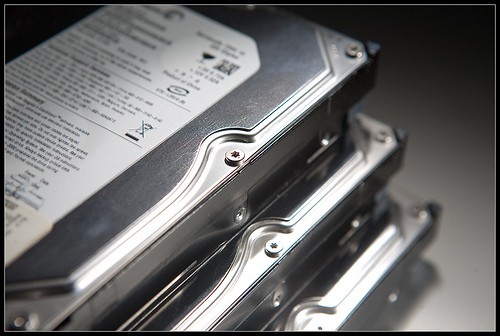
When there’s a flood or a fire, chances are good you’d lose your computer and the most precious thing in it – your hard drive with all your work. That is one reason why I’m a big proponent of a dual backup plan one on-site, like your external hard drives of DVD’s and another off-site like Mozy which means your data is actually backed up to a place that is outside of your office/home-office. That way if anything happens to your home or office you can always retrieve the set from Mozy. I have a network attached drive to store all my backups but am always concious of the fact that backup is only good if my computer crashed. If a disaster strikes, I’ll lose the computer and the backups too. Even though I do have Mozy and have a way out, I like the thought of making the backups a little more disaster proof. Which was why ioSafe Solo caught my attention. It claims to be water and fire proof and comes with a $1000 Data Recovery service plan. When there’s a fire, it closes the vent to (even without power) to seal in the internal circuitry to protect

Read More→

Laser Printers Make More $ense

Thursday, May 28th, 2009
toner.jpg

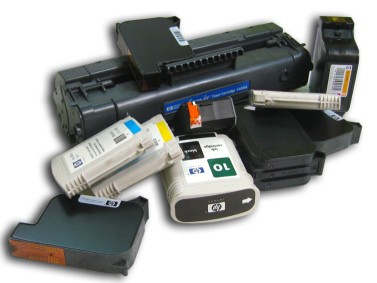
Several years ago, I decided I had enough of ink jets. We owned several models up until then and even tried those with individual color tanks thinking it might save us money. What a waste of time and good money. Since I had the pleasure of working at Canon office automation once, I was well trained how a laser printer works and also how easy on the wallet it can be. But a basic black and white laser printer costs many times a color laser jet printer. Can we wean ourselves off the color printing aspect? It was a biggie. In the end we decided that for business use, most of our printouts don’t need color. And so we took the plunge. The investment itself cost less than anticipated because we looked out for a deal. It came with a starter toner cartridge that was supposed to yield only 2000 prints but we got a lot more out of that. When it was time to purchase our very first replacement cartridge that kinda hurt a little considering toner cartridges go for $70+ and up. But that too turned out to be a bargain because my cartridges last me about 11

Read More→

Our office recently was in much need of a large storage drive to relief the burgeoning drives on our small server. The requirements, it has to be network capable and should be about 1TB large. Not wanting to wait, we settled on a Western Digital MyBook that was in stock at a local store. It’s been about a month now. The verdict, it works, but could use with some improvement. The drive works. It was super easy to set up. But the problem began when the drive would sometimes out of the blue register offline when it wasn’t. The drive came with a limited version of MioNet which was very easy to use. With it, you can share specific folders and files with people outside your local network. So for example, if you were traveling our outside of the office you could put the work files into a folder, share it with yourself by sending out an invite to your own email. You click on this link they give you to view/get the files in this shared folder. I would have preferred not using MioNet to access the drive which you can but needs some configuration. I didn’t like that

Read More→

How Do You Organize Your Computer Files?

Thursday, October 18th, 2007

Tech Enquirer wants to know, how do you organize your computer files? Do you have a system? Or do you just stash stuff in any corner you can find on your desktop? For me, I order most things through one major folder like ‘Business’. Inside that folder, there are a bunch of sub folders named by website. I’ve tried organizing by task example, articles, videos, reports, websites but I got too confused so this is typically what my folders will look like. I also have a master folder for Gurus. Within that, I have a sub-folder for each person I buy or download stuff from. Like this. Finally, there are my scripts and miscellaneous software programs. These all go into a master folder named Downloads. What does yours look like? You’re most welcome to post pictures. business, desktop, organization, technology

Move That My Documents Folder

Tuesday, October 16th, 2007

I just migrated over to a newer computer – a task which I loathe, the only thing fueling it is the anticipation of faster computing. Still, it’s now a whole lot faster, easier and better than it was before. On my PC, I make tons of changes from simple background colors and font size to editing the registry. One of the most important things to me is to move the My Documents folder. Why? Because my hard drive in several partitions and I do not like to keep data in the same partition as the operating system (C:/). This way, if the operating system becomes corrupt or I just feel like it need re-installing, I can do it quickly without copying, moving a bunch of stuff or losing data. But what if you already have files inside your My Documents folder? Super easy. Right click on My Documents and click on Properties. In the dialog box, you’ll see a target directory path. Click on Move… Select the directory of your choice and click OK. Windows will do everything for you. Be warned, this could take a long time if you have a lot of files in there. So make sure

Read More→

Be Green, Save Greens, Do Good

Monday, October 15th, 2007

It’s Blog Action Day! Today, I’ll be joined by thousands of other bloggers in a cool project. We’re all blogging about one thing today – the environment. So here’s my contribution. We marketers always love win-win-win situations so that’s going to be the theme of my suggestions. How your business can be green, save you some money and do good all at the same time. First up, recycle your ink and toner cartridges. Many of us know that you can drop these cartridges off at the local office supply store. Some printer companies even make it super convenient. I have an OKI color laser printer and each cartridge I buy, there is a bag and UPS shipping label all paid for. All I do is slip the used cartridges back, slap on the label and drop it off. But let’s take this further. Be good to your community. Cash strapped schools may be involved in recycling programs. They’ll get much needed money for every cartridge they collect. So, send your ink and toner cartridges to school! If you don’t have school aged children, call the schools or go online. Plenty of places will take them if you’re willing to send

Read More→

When New Technology Is Introduced

Wednesday, October 10th, 2007

People suffered from having to learn new tech in the old days too. The fact the video isn’t in English makes this funnier. Hilarious! Technorati Tags: fun, funny, hilarious, Tech support, wordless wednesday, YouTube

Just The Right Words

Monday, October 8th, 2007

Writing for the web is challenging. When I say web, I also mean writing for email newsletters and all that stuff. I’m not a copywriter but in the course of business am forced to write a lot of things myself including this blog . My stumbling block, is not the blog but writing emails. There are ghostly whispers in my head every time I sit to write an email. How to write clearly, simply and not get caught in spam filters? I’m often looking for substitutes to words that commonly trigger these filters. Which is why Visual Thesaurus is such a heaven sent. It really helps when you can see the different relationships of each word. You can explore any branch by clicking on it and return in one click. This is one tool that is a must for my business. You should try it yourself.   Technorati Tags: business, copywriting, email

Tech Enquirer: Cell Phone Bills Oh My!

Friday, October 5th, 2007

I’m probably the only geek in this world that doesn’t have the coolest, biggest, baddest cell phone. Then again, I don’t have the biggest and baddest cell phone bill either! This is what happens when you cross a geek with a scrooge. Yet, sometimes in order to get business done we have little choice. While shopping around for a new cell phone – sorry no iPhone for me. I like to tinker with my gadgets – these cell phone plans are a real sticker shock for me! Oh wow! The monthly payments are enough to buy me a nice subscription to a learning resource. This got me all curious. So I’m asking you all… How much do you pay for cell phone service every month? $0 Don’t have a cell phone$1 – $50 $50 – $100 $100 and above Technorati Tags: business, cellphone, expenses, wireless

Hacked Website: 5 Preventive Action Steps

Friday, September 28th, 2007

This is so disturbing. I don’t have any concrete data to say definitely something is going on. But two reports of website hacking in less than 3 days by two different people is not a coincident. One of my clients (and friend) also reported that the hacking cost her more than inconvenience. She’s restored her site. But now, when someone clicks on her website from Google search results, they get a big, awful notice that her site contains malicious code. The other person has some weird foreign forum on her site now. I feel outraged for them. What you can and should do: Backup, backup, backup your websites. Don’t know how? Here’s a video. Don’t want to do it yourself and want to keep a copy somewhere other than your office? Outsource your backup. If you have no need for FrontPage extensions, don’t install it. Update all your scripts including blogs. Change your webhost control panel logins regularly. Use RoboForm to keep up with your logins and share them securely. If your assistants and webmasters don’t have RoboForm, buy them a copy.That’s what I did last Christmas. As a gift, I gave everyone I was working with a copy of

Read More→